
Waivers, signed before anyone steps aboard.
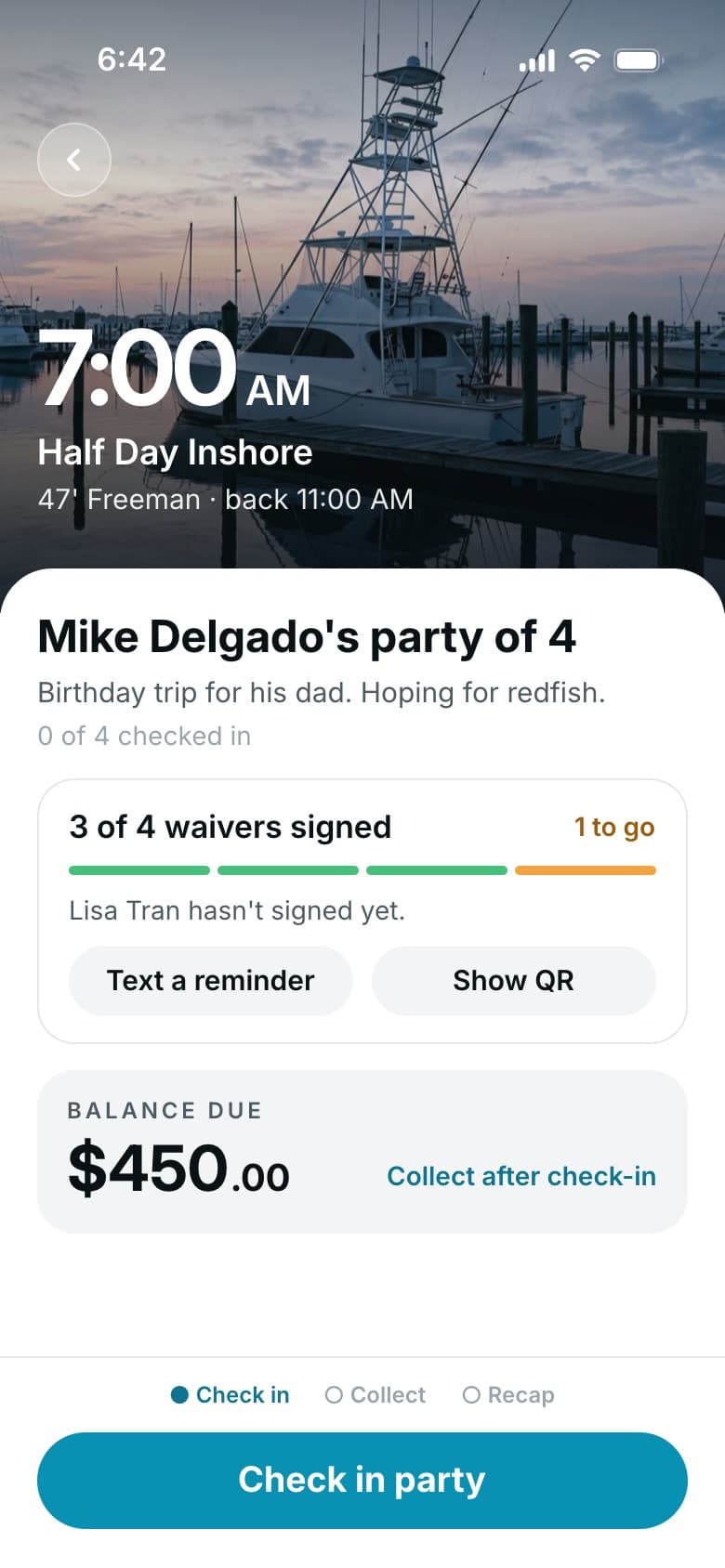
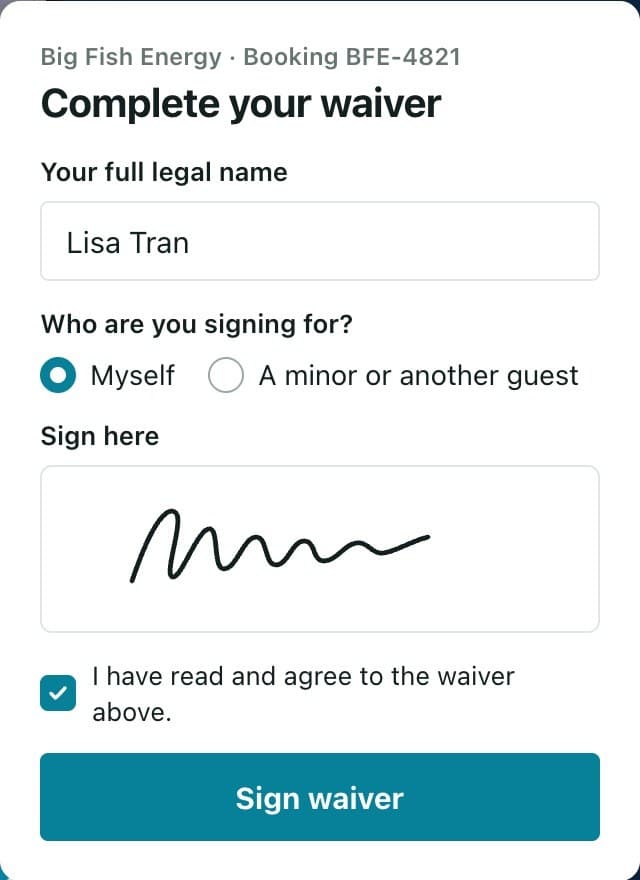
If you use waivers, guests get a link to sign on their phone before the trip, and anyone who forgot can sign at the dock.
Your waiver goes out with every booking.
Nobody's chasing paper forms while the engines warm up.
Write it once.
Build your waiver in the waiver builder with your own wording. Use it on every trip, or pick a different one for certain trips.
Each guest signs their own.
The person who booked gets a link to share with the group. A parent or guardian signs for a child.
Stragglers sign at the dock.
Send a reminder to anyone who hasn't signed, or show a QR code they can scan with their phone.
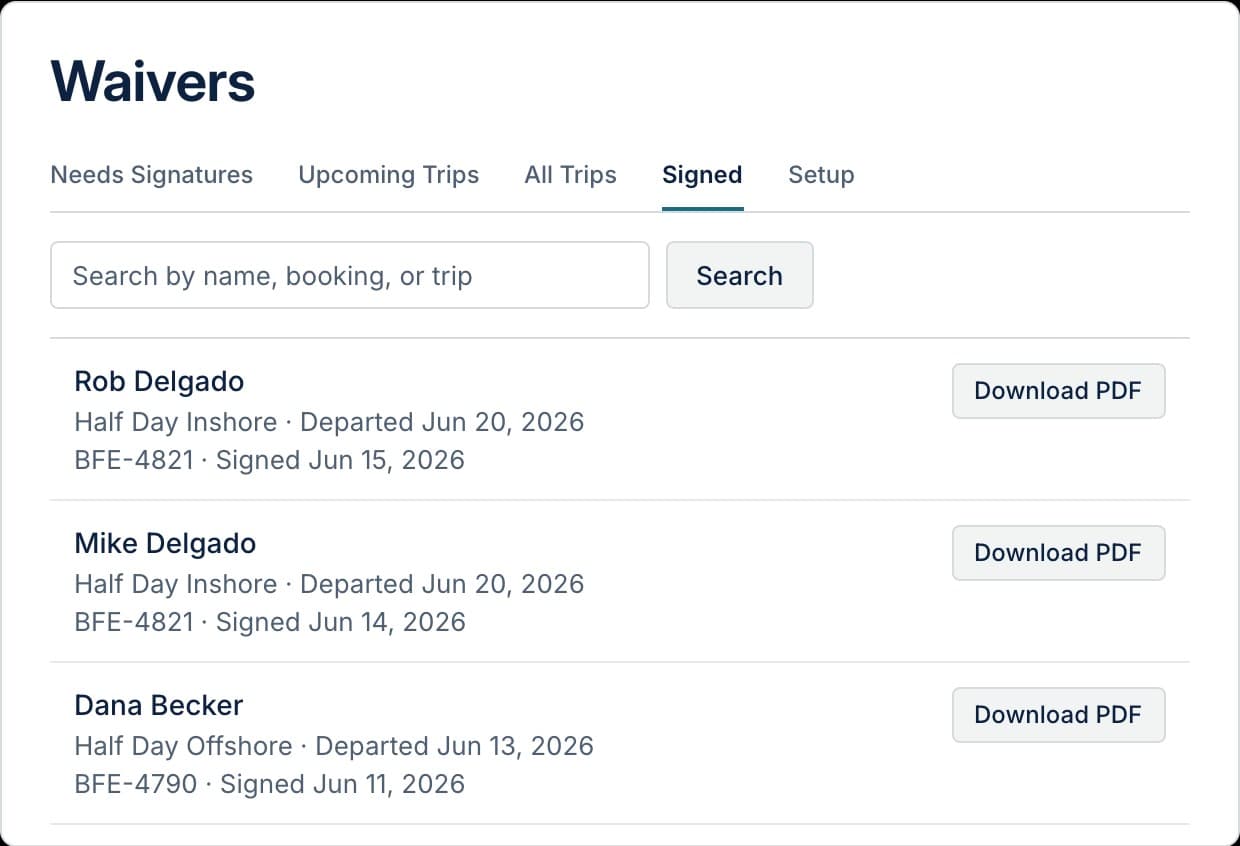
Pull up any signed waiver later.
Every signed waiver is saved as a PDF on the booking. Who signed, and who still needs to, shows on the trip and on your manifest.
- A PDF of every signed waiver
- Waiver status on the trip and the manifest
- Guardian signatures for kids
Waiver questions.
How do kids sign?
A parent or guardian signs for them and says how they're related.
Can I use the wording from the waiver I have now?
Yes. Your waiver is written in the waiver builder with your own wording, so it can say what your current one says. We set it up for you when we build your trips.
Where are signed waivers kept?
Each one is saved as a PDF on its booking. You can also search every signed waiver by name and download them whenever you need.
What if someone shows up without signing?
Open their booking in the Hookset Captain app and show the QR code. They scan it with their phone and sign right there at the dock.

Get every waiver signed before your next trip.
We'll set up your waiver with your wording, so it goes out with your first booking.