
Put the right captain on every trip.
Assign a captain to each trip and add your deck crew. Your office staff and captains each get their own login.
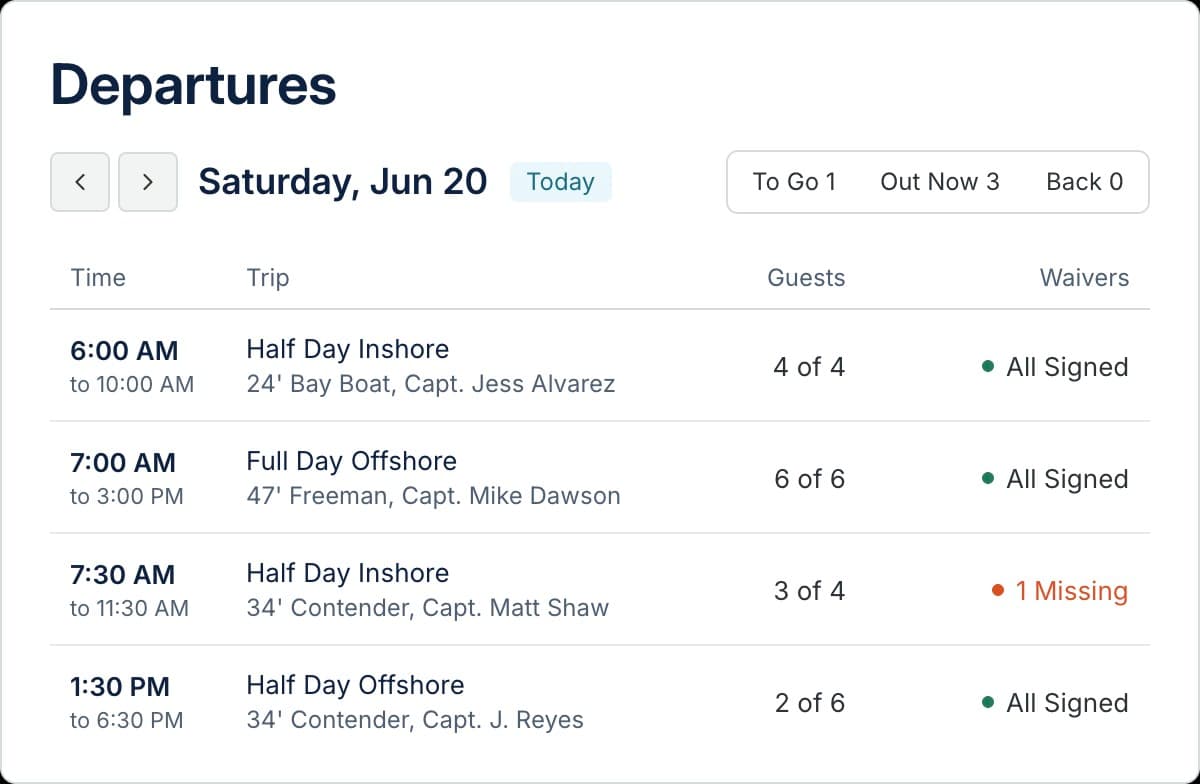
Run the whole fleet from one schedule.
Set each boat's captain once, and new bookings show up on that captain's schedule.
Captain schedules.
Give each boat a default captain and see who's running what, day by day.
Swap captains in a few taps.
Need someone else to run a trip? Assign another captain, and it moves to their schedule.
No double booking.
A booked trip holds its boat, so you can't sell the same boat twice for the same time.
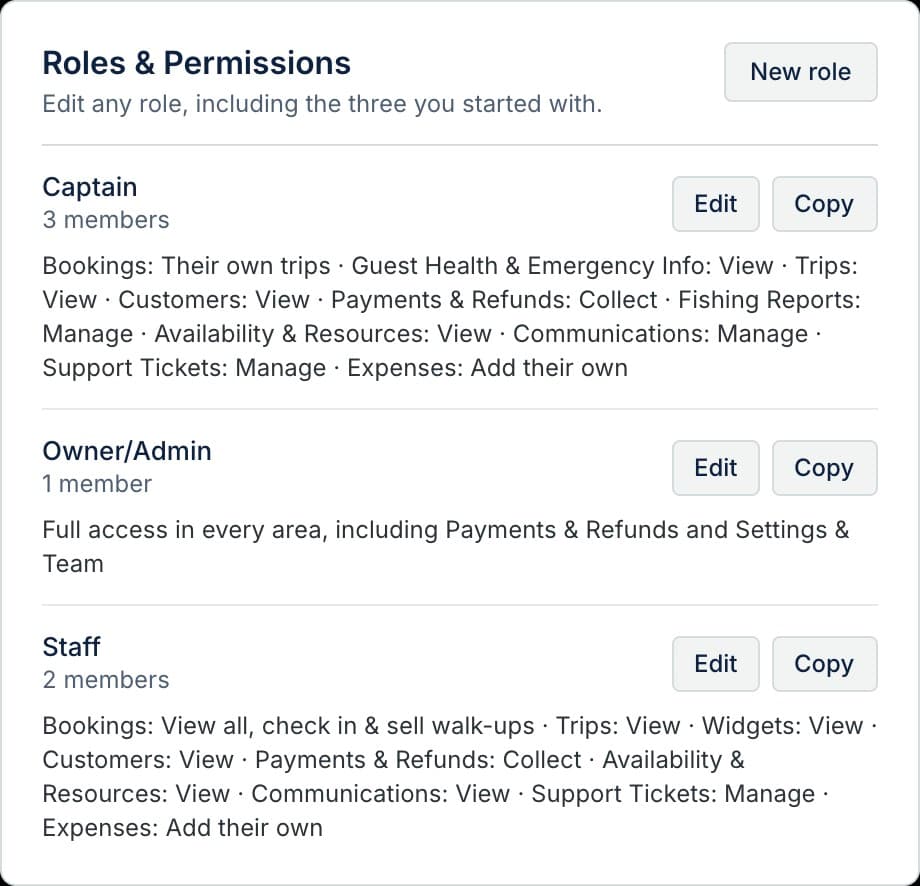
Give your crew the right access.
You decide what each person can see and do. Start with Owner/Admin, Captain, and Staff, or build your own role.
- Deck crew
- Add mates to each trip, with or without a login.
- Captains
- Show them trips and manifests, and nothing they don't need.
- Your own roles
- Office manager or counter help? Set up a role for each and pick what it can do.
Crew questions.
Can I rename the roles?
Yes. Rename Owner/Admin, Captain, and Staff, change what each one can do, or add roles of your own.
What if my captain calls in sick?
Pick another captain on the booking. The trip shows up on their schedule, and your guests keep their booking as is.
Does this work if I run one boat?
Yes. You're the Owner/Admin, and deck crew can be added to trips without a login. Add more people when you need them.

Set up your boats and crew this week.
We'll add your boats, captains, and trips before your first booking comes in. Your team gets an email invite to set up their own login.