
Board the boat without a clipboard.
See every trip on today's schedule, who's checked in, who still needs to sign, and who owes. Check people in by name on your phone, and print the manifest when you need it.
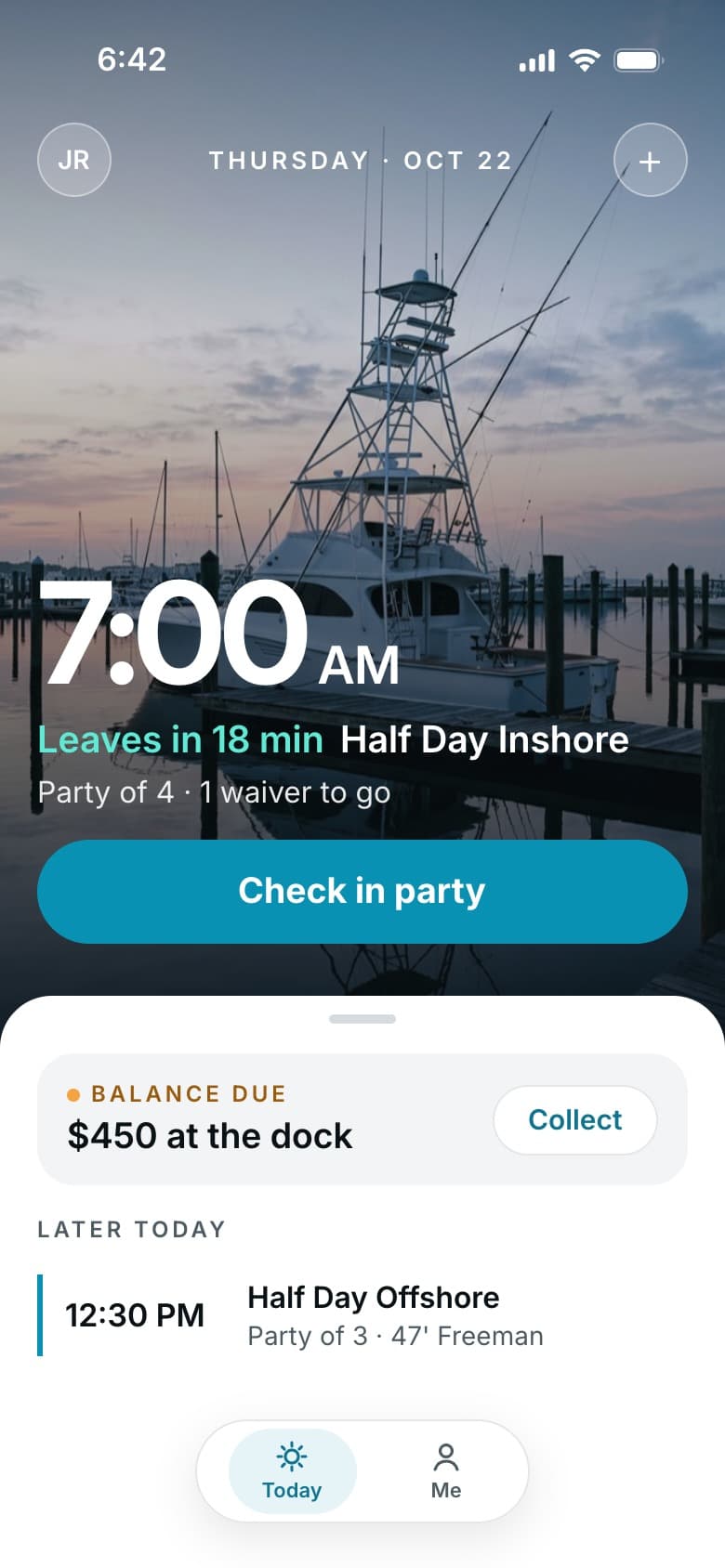
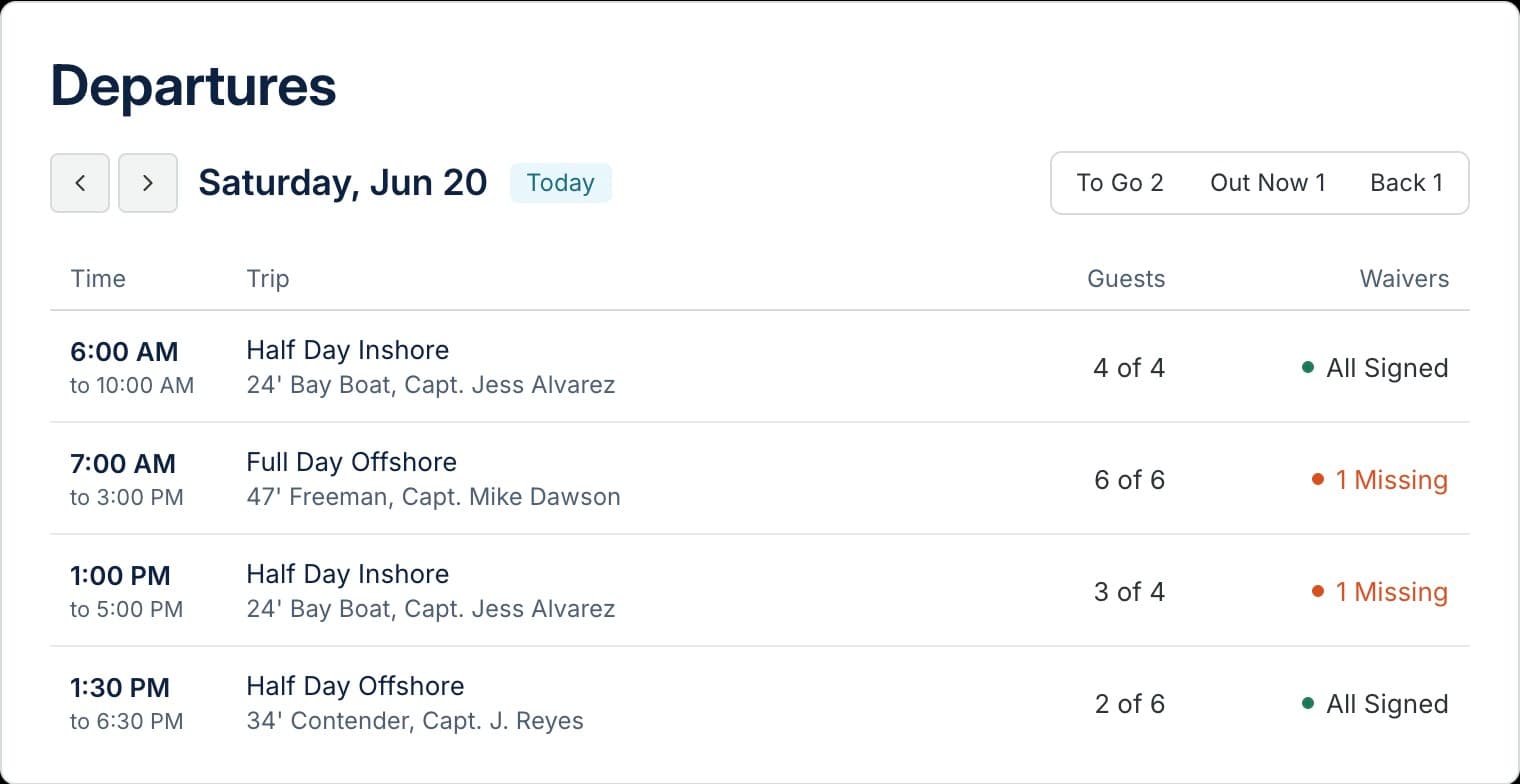
Know where every trip stands.
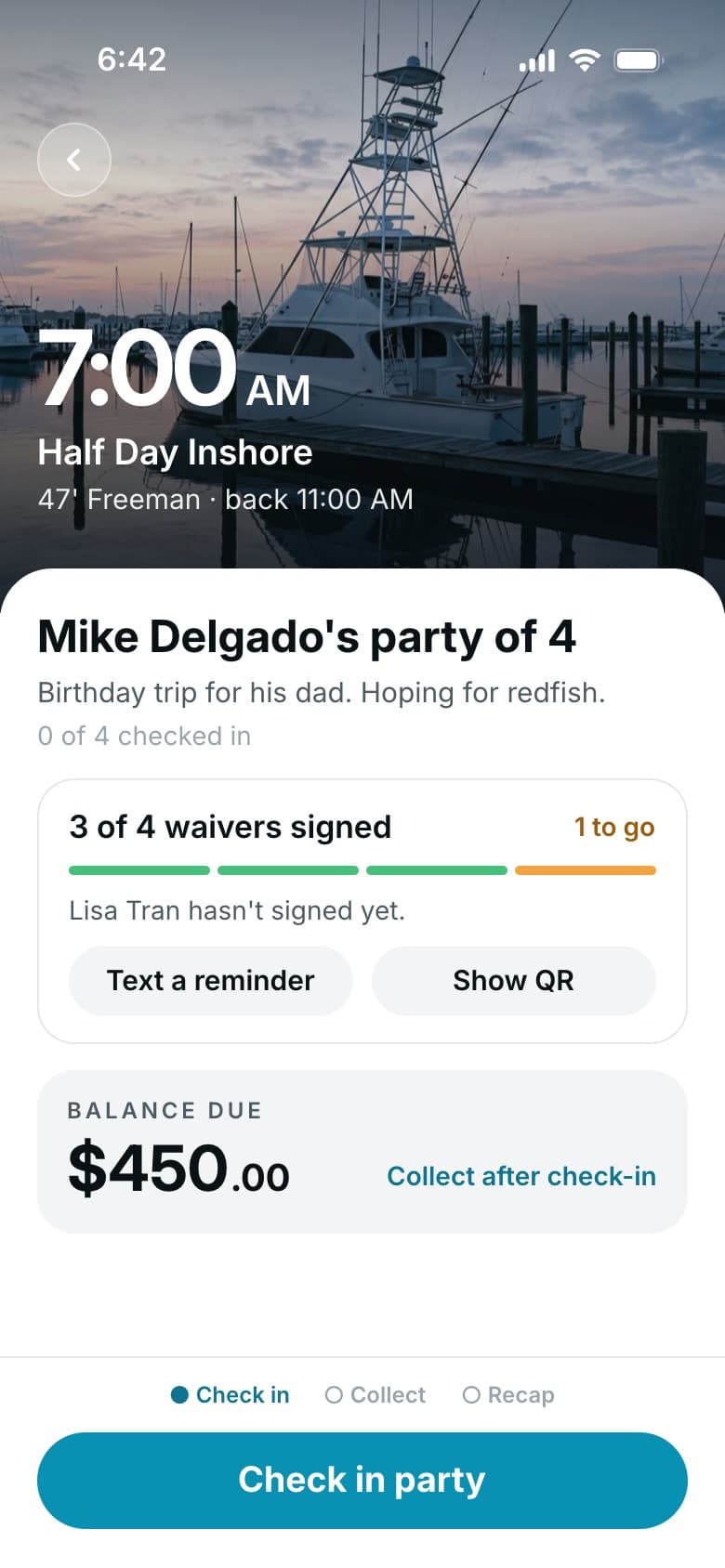
Every trip moves from To go, to Out now, to Back as the day goes on. Open any one to see the party, the waivers, and the balance.
Tap a name to check them in.
Most charters check the party in by name. Running a full boat? Scan the ticket on each guest's phone at the gangway. Guests can save it to Apple Wallet or Google Wallet. Either way, a missing waiver or a balance due shows up before anyone steps aboard.
- Check in by name
- Scan phone tickets on busy boats
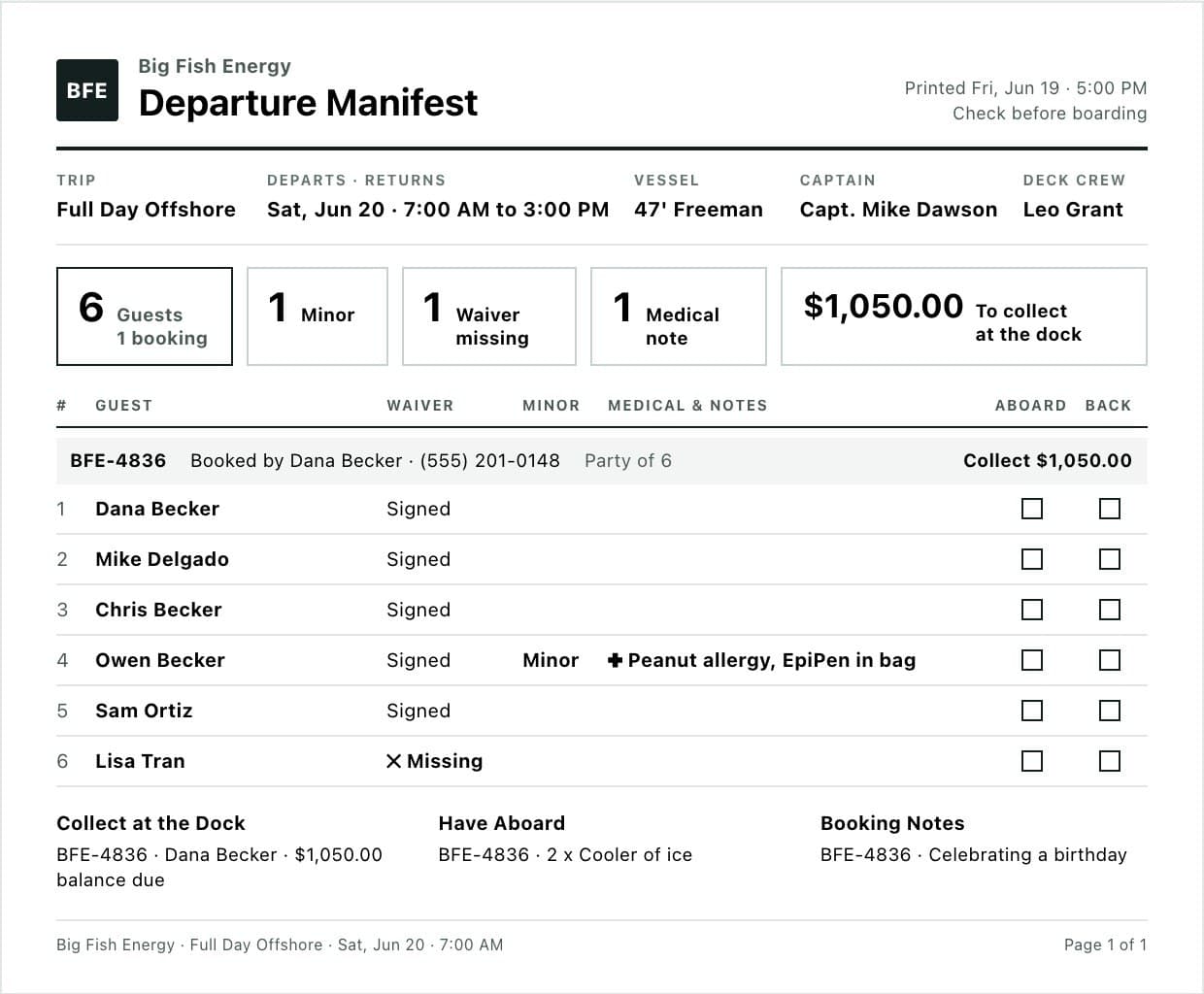
- Print a manifest that shows who owes
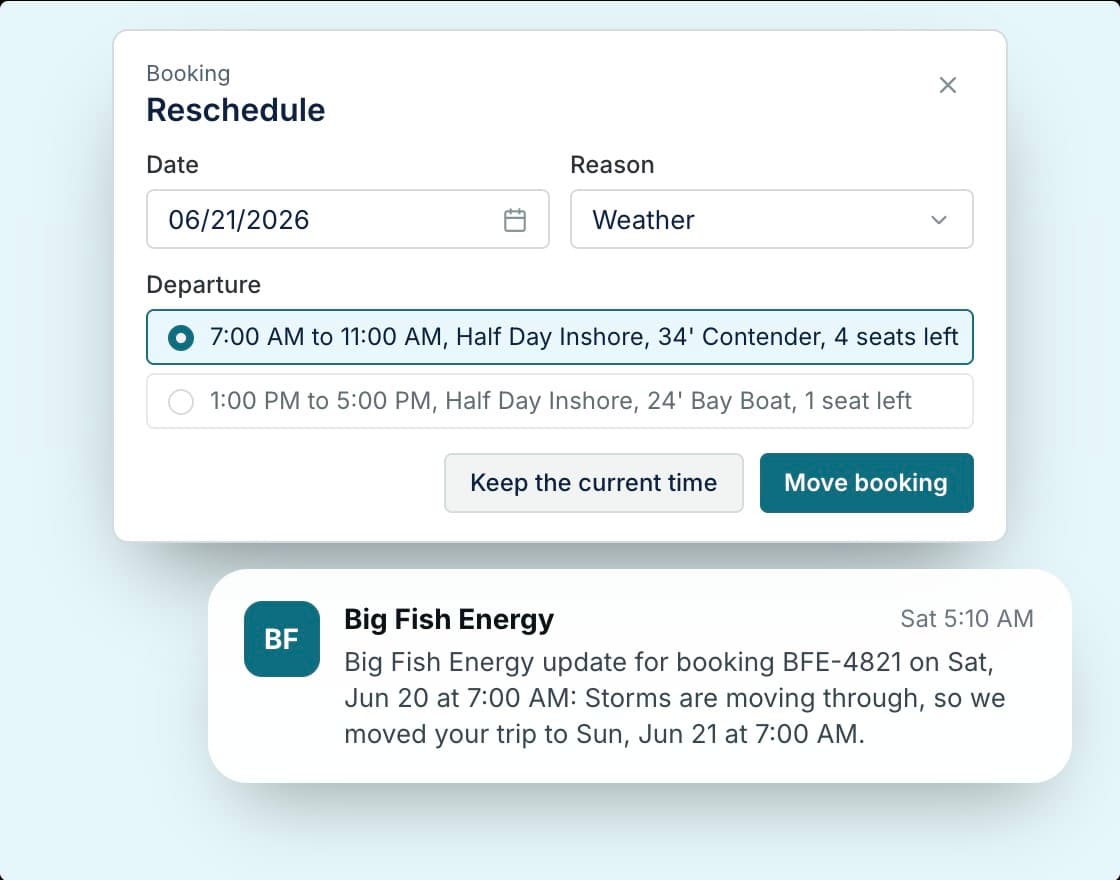
Make the weather call and every guest hears about it.
Move the trip to a new date or cancel it, and every guest gets a text and an email. If the boat is already booked at the new time, you'll know before anything moves.
Check-in questions.
Do guests need a paper ticket?
No. Their ticket is on their phone, and they can save it to Apple Wallet or Google Wallet.
Can I check people in without scanning?
Yes. Tap a name on the trip to check in that guest or the whole party. Scanning is there for busy party boats.
What's on the printed manifest?
Every guest on the trip, booking by booking, with waiver status, emergency contacts, and medical notes. It also shows what's left to collect and which add-ons to have aboard, plus Aboard and Back boxes to tick.
What happens when I move a trip for weather?
Pick a new date, and every guest gets a text and an email with the new time. If you cancel instead, they're told that too, and you decide on the refund.

Check in your next trip from your phone.
We'll set up your boats and trips, so the departures screen is ready on your first day.