
Your bookings, on the calendar you already check.
Connect your Google Calendar, and every trip with a booking shows up on it with the time and who's coming.
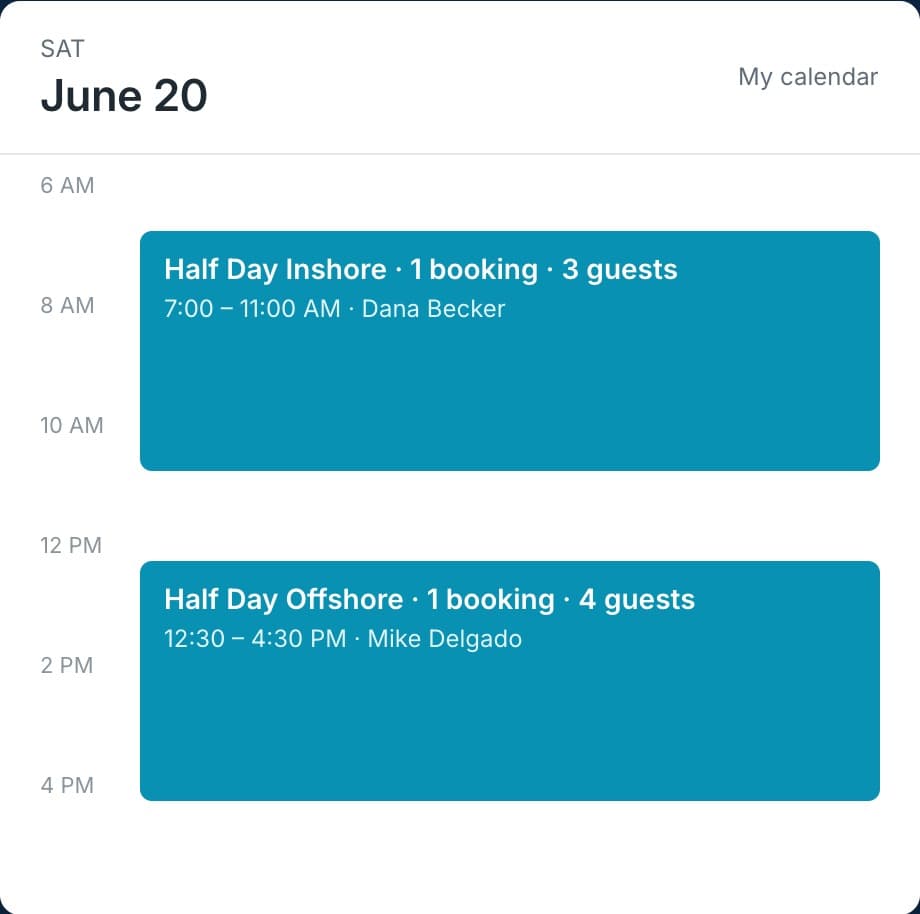
Connect once and forget about it.
After that, each new booking lands on your calendar next to everything else in your week.
SETUP
Sign in with Google
Trips go on the main calendar of the Google account you sign in with. That's the whole setup.
EVERY TRIP
One event per trip
Each one has the start and end time, plus the name, party size, and what's been paid for each booking.
YOUR PEOPLE
Share it the usual way
Share that Google Calendar with your spouse or crew, and they see the trips too.
YOUR SCHEDULE
Changes start in your dashboard
Move trips and block time off in your dashboard. Events you add in Google don't change what customers can book.
Calendar questions.
Do I need a Google account?
Only if you want your trips on Google Calendar. Each trip with bookings shows up as one event and stays up to date as people book. Connect it whenever you like.
If I add something in Google, will it block a trip?
No. Trips go to Google, but nothing in Google comes back. When you can't run, block off that time in your dashboard and customers can't book it.
Can I use a separate calendar for trips?
Trips go on the main calendar of the Google account you connect. To keep them separate, connect a Google account you use only for bookings.
Put your trips on your Google Calendar.
We'll set up your trips and connect your calendar with you.